


The DNA calculation
Raw DNA is not uploaded for calculation. Previous results are stored in encrypted local history, and sharing a summary does not share the raw genotype file.
Bring a supported DNA file, choose a reference model and explore the component estimates. A focused analysis workflow, with the calculation running on your device.
Free download. Contains ads and optional in-app purchases.
Raw DNA is not uploaded for calculation. Models, ads, purchases and applicable license checks use network access.
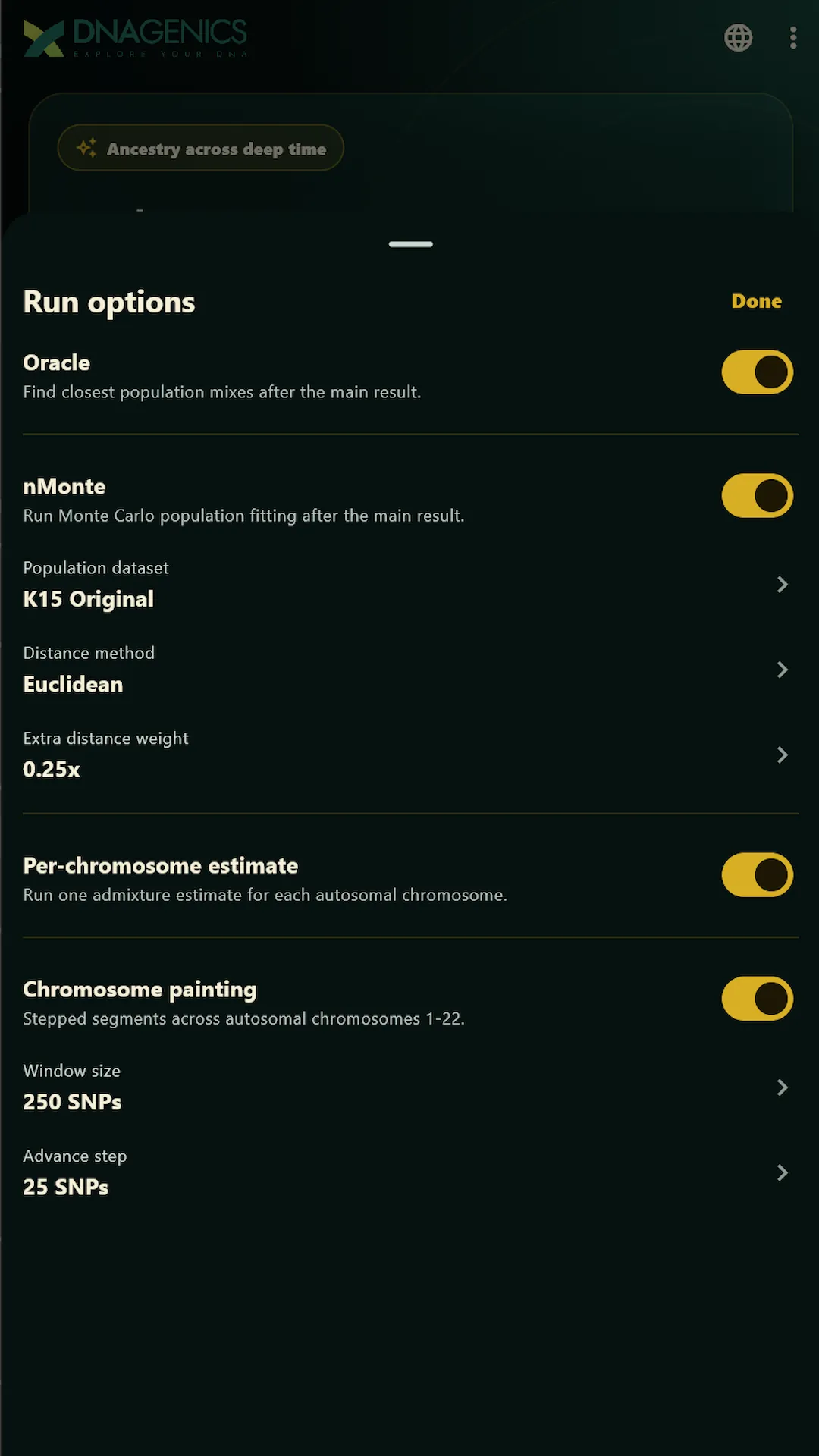 App preview unavailable. The feature descriptions remain available on this page.
App demo image. Options depend on the installed version, selected model and available inputs.
Open full-size imageStart with data from your testing provider.
Review the available reference context.
Read components within the selected model.
Keep each part of the calculation in view. Know what you supplied, which reference model you chose, and how to read the output.
Open a compatible file from your device. TXT, CSV and TSV inputs, plus supported ZIP and GZIP archives, give you a starting point. File coverage and format compatibility matter.
Explore the available models and their component definitions. Review run options before starting the on-device calculation. Additional models can be downloaded when available.
Read the chart and numerical breakdown together. Revisit saved results in encrypted local history, or share a summary chart after checking the information it contains.
Results describe statistical genetic similarity within the selected reference model. They do not establish ethnicity, identity, direct descent or a family relationship.
App demo imagery shows model selection, run configuration and an example result. Open any image for a larger view. Options vary by version, model and available inputs.
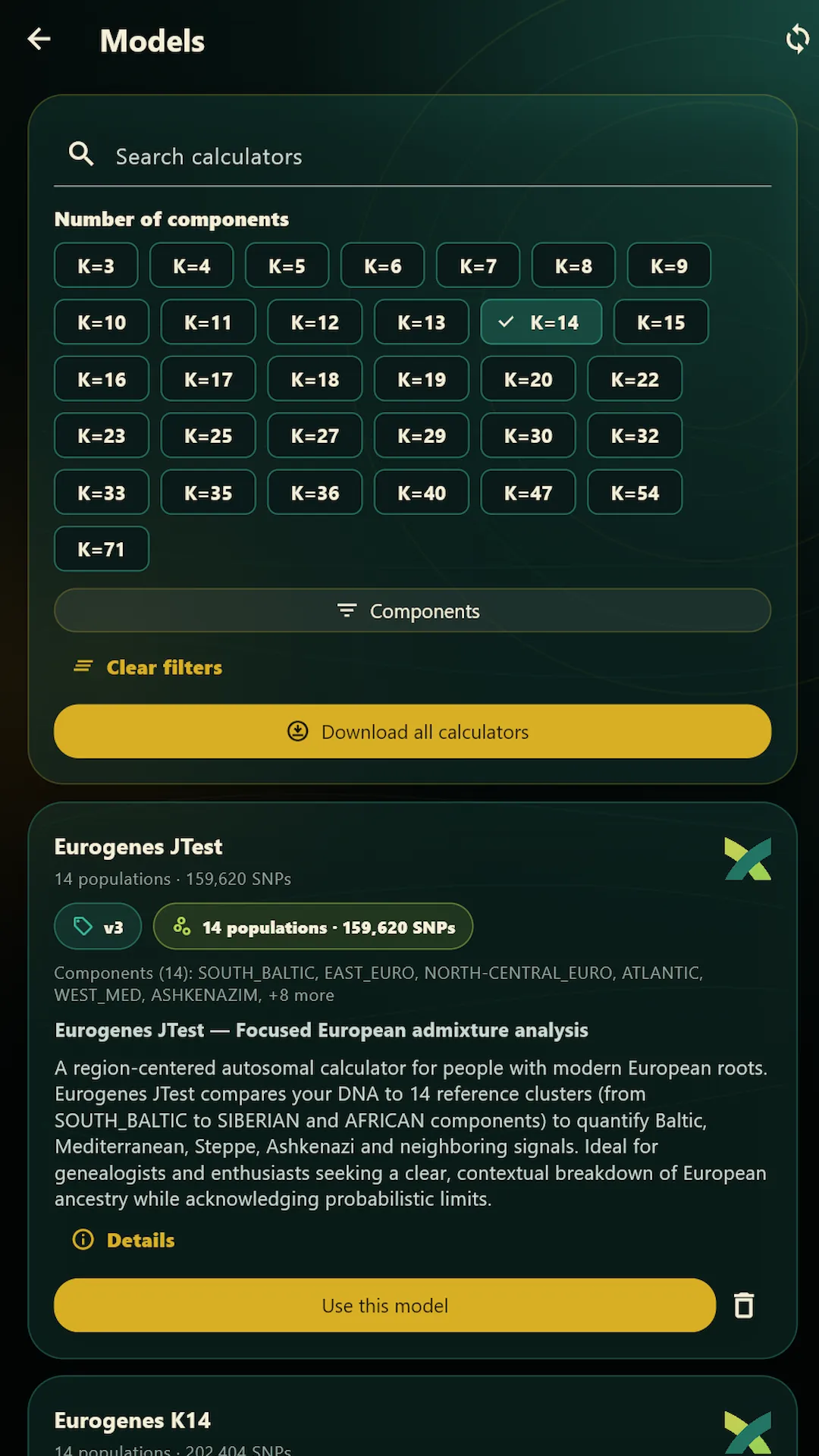 App preview unavailable. The feature descriptions remain available on this page.
App demo image. Review the model's components and reference context before choosing it.
Open full-size image
App preview unavailable. The feature descriptions remain available on this page.
App demo image. Options depend on the installed version, selected model and available inputs.
Open full-size image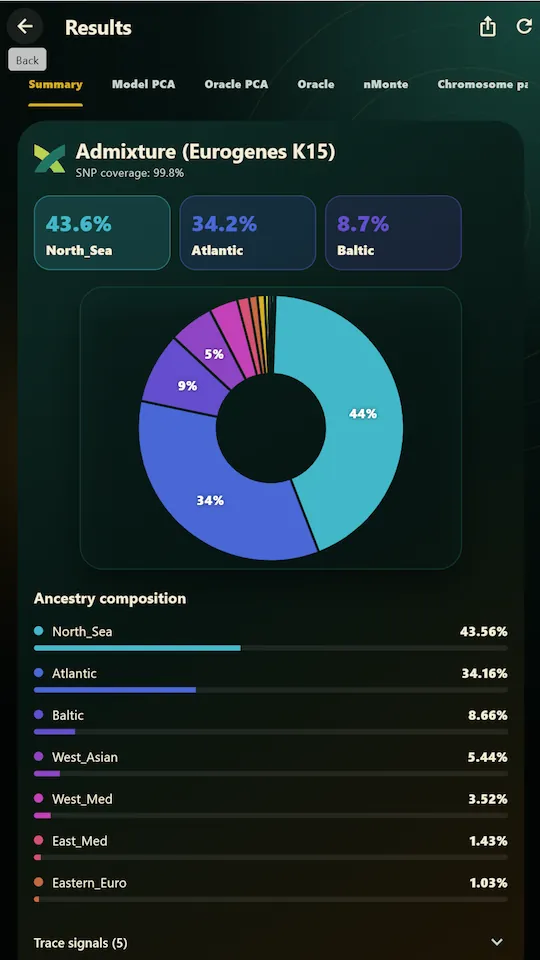 App preview unavailable. The feature descriptions remain available on this page.
App demo output, not your results. Displayed values illustrate the interface and are not a prediction for your file.
Open full-size imageExample output is not a prediction for your file. Component percentages depend on the chosen model and should not be read as exact genealogical percentages.
Focus on the input, reference choices and interpretation. Saved history and chart sharing help you revisit what you explored.
View the app on Google PlayOn-device estimation describes where the calculation happens. Review network use and the app's privacy information before installing or importing data.
Raw DNA is not uploaded for calculation. Previous results are stored in encrypted local history, and sharing a summary does not share the raw genotype file.
Reference-model downloads, ads, purchases and license validation where applicable use network access. Other app and device data handling is described in the Privacy Policy and Google Play Data safety information.
Raw DNA files, SNP genotypes, matched SNP counts, model coverage and admixture results are not shared with the advertising provider or used for ad targeting.
Choose the edition for your workflow. Features, access and purchase terms vary between environments.
Import a local file and run supported admixture estimates on your device. Free download, ads and optional Android in-app purchases.
Get the appExplore the desktop workflow and its available analysis tools on a larger screen. Review the Windows edition's own requirements and PRO access.
Explore WindowsExplore the online calculator collection using the website's sample-processing and access rules.
Open the browser studioWebsite and Windows PRO purchases should not be assumed to unlock Android in-app purchases. Check the terms for the edition you intend to use.
Get Admixture Studio for Android, review its information and import a supported file when you are ready.
Free download. Contains ads and optional in-app purchases. Google Play provides current availability and purchase terms.

Compatibility, interpretation, privacy and the difference between editions.
Contact DNA GenicsIt is an educational application for exploring model-dependent admixture estimates on an Android device. Import a supported raw DNA file, choose a reference model and review component charts and summaries.
It is a free download on Google Play. It contains ads and offers optional in-app purchases. Review current availability and purchase terms in Google Play and the app; this page does not sell an Android license.
The Android workflow imports a supported file from your device. Website upload is not a prerequisite for this workflow. The app's calculation runs on-device; website reports and their upload process are separate services.
The app supports compatible RAW DNA inputs in TXT, CSV and TSV formats, plus supported ZIP and GZIP archives. An extension alone does not guarantee compatibility. Results depend on the file, available markers and selected model.
No. Raw DNA is not uploaded for the calculation, but network access supports reference-model downloads, ads, in-app purchases and license validation where applicable. Review the Privacy Policy and Google Play Data safety information for other app and device data handling.
Raw DNA files, SNP genotypes, matched SNP counts, model coverage and admixture results are not shared with the advertising provider or used for ad targeting. Other app and device information is described in the Privacy Policy and Google Play Data safety section.
Previous results are kept in encrypted local history. You can share summary charts without sharing the raw genotype file. A chart still contains personal genetic information; consider the recipient and visible details before sharing. Copies you distribute can remain outside the app.
Each model uses its own reference panels, components and assumptions. Component percentages describe the selected statistical model. They do not establish ethnicity, identity, a family relationship or exact genealogical percentages.
Available options and outputs depend on the installed app version, selected reference model and input data. Review the run options in the app before starting. Preview images illustrate the application and do not guarantee that every analysis is available for every file.
Do not assume that website, Windows and Android purchases are interchangeable. Review the access terms for the edition you intend to use. Android in-app purchase options are presented in the app and Google Play.
No. This is recreational and educational ancestry exploration. Results are statistical estimates and do not provide medical, diagnostic, legal or identity advice.
Review the Privacy Policy and the Google Play listing before installing. For app support, use the contact details listed in Google Play or contact DNA Genics through the website.
Explore statistical genetic similarity with a focused on-device workflow. For recreational and educational use, not medical, diagnostic, legal or identity advice.
DNA Genics has been building ancestry and DNA analysis reports since 2018. Our reports come from years of work with our own reference panels, calculators and ancient-genome comparisons, developed and reviewed by our team. They are not generated on the fly or assembled as a side project. We use AI only in clearly labelled optional features.